# Monitor your forms or events
**You may want to [learn more about forms and events](https://rebeltoolkit.extinctionrebellion.uk/books/action-network-for-xr/chapter/events-forms-and-surveys)
before reading this page.**
Here are three ways to keep an eye on your sign up forms (or other data collection forms).
1. View the last 100 activists who signed up
2. Get an email every time someone uses your form/event
3. Make a report of all who have signed up on your form/event
#### 1. View the last 100 activists who signed up
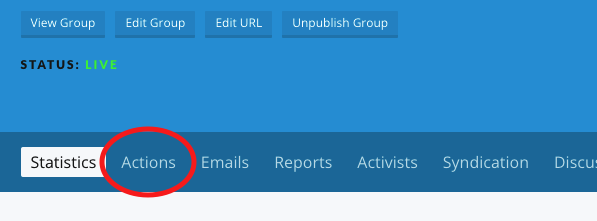
Step 1: Go to the 'Actions' tab
[](https://rebeltoolkit.extinctionrebellion.uk/uploads/images/gallery/2022-02/actions.png)
Step 2: Choose 'manage' next to your form
[](https://rebeltoolkit.extinctionrebellion.uk/uploads/images/gallery/2022-02/manage.png)
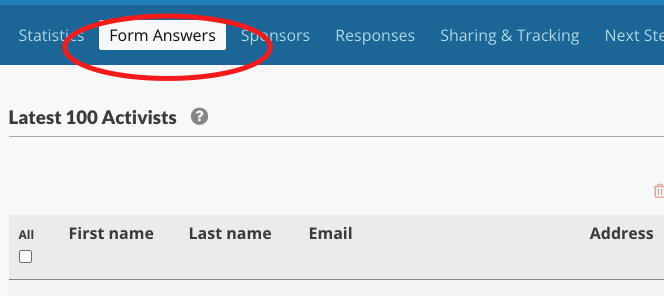
Step 2: Click form answers
[](https://rebeltoolkit.extinctionrebellion.uk/uploads/images/gallery/2022-02/form-answers.png)
#### 2. Get an email EVERY time someone uses your form
Follow step 1 and 2 above
[](https://rebeltoolkit.extinctionrebellion.uk/uploads/images/gallery/2022-02/responses.png)
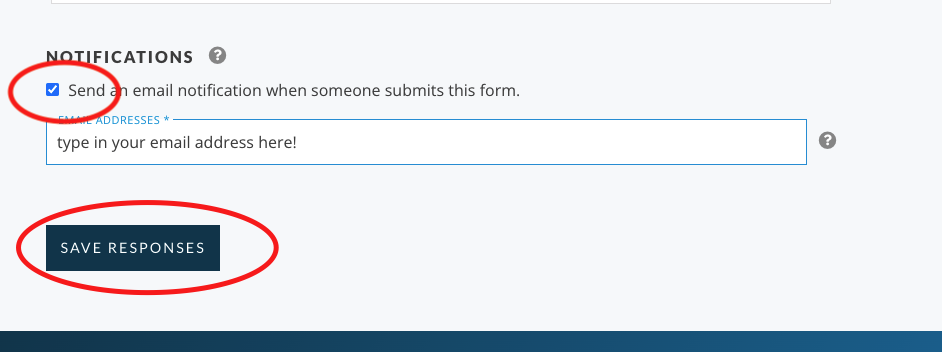
Step 3: Scroll down to the bottom and tick the box 'Send an email notification when someone submits the form', type in your email address, and click 'Save Responses'
[](https://rebeltoolkit.extinctionrebellion.uk/uploads/images/gallery/2022-02/notifications.png)
#### 3. Make a report of all who have signed up
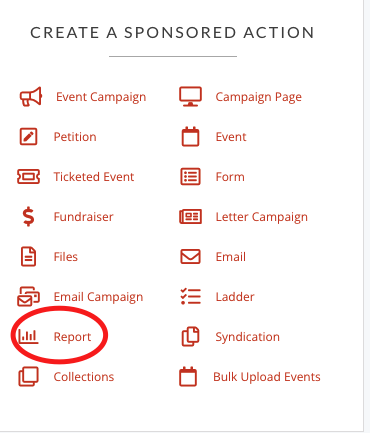
Step 1: Click on Report
[](https://rebeltoolkit.extinctionrebellion.uk/uploads/images/gallery/2022-02/report.png)
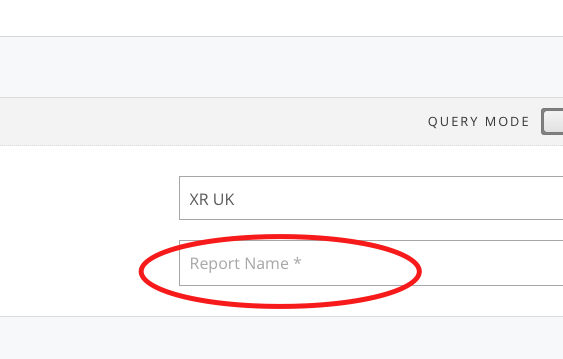
Step 2: Give it a name
[](https://rebeltoolkit.extinctionrebellion.uk/uploads/images/gallery/2022-02/reportname.png)
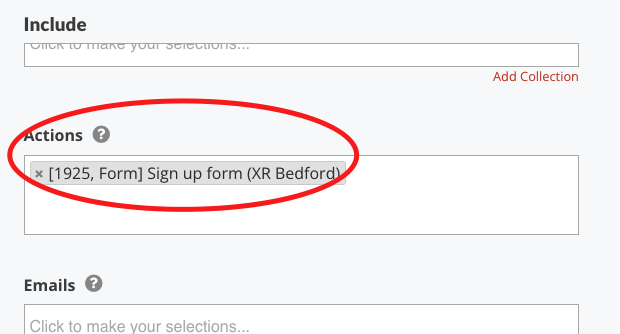
Step 3: On the left hand 'Include' column find your report - just start typing its name into the field labelled 'Actions' and you should find it (ignore the number that just means in this case it's the 1925th form on the system!) - you just need to know what your form is called and search for that.
[](https://rebeltoolkit.extinctionrebellion.uk/uploads/images/gallery/2022-02/find-report.png)
Step 4: Click 'Save and select data' blue button on bottom right.
Step 5: Choose which fields you'd like to see in your report and what order you'd like to see them
Step 6: Click 'Save and get results' button
Remember if you come back to view this report another time - you have to _refresh_ to get the lastest information.